



In today’s digital workplace, teams struggle to stay aligned when work is scattered across emails, spreadsheets, chats, multiple tools, and disconnected systems. monday.com solves this by bringing all of your work, tasks, projects, processes, and collaboration, into a single, visual platform that scales from simple task lists to full enterprise work management.
What is monday.com?
In essence, monday.com is a cloud-based Work Operating System (Work OS), a flexible platform where teams plan, track, automate, and deliver work in one centralized space. At its core, it combines:
- Task management — track what needs to be done, by whom, and by when
- Workflows & processes — define how work moves from start to finish
- Project planning & tracking — from simple to complex initiatives
- Dashboards & reporting — intuitive real-time visibility into work
- Collaboration & communication — work in context, not in silos
More than a traditional task tool, monday.com is designed to be the “single source of truth” for how teams work and deliver results.
Work OS vs. Task Manager: What’s the difference?
A basic task manager simply lists to-dos. A Work OS like monday.com goes beyond that by enabling teams to:
- Build customizable workflows
- Automate repetitive steps
- Visualize work in multiple ways (Kanban, Timeline, Gantt, dashboards)
- Centralize communication and documents
- Connect tools and systems with integrations
This makes monday.com suitable for task management, team collaboration, cross-functional processes, and work that spans departments, not just task lists.
Core capabilities of monday.com
1. Visual Boards for Work & Tasks
monday.com organizes work into boards, flexible tables of tasks, requests, projects, and processes where every item has owners, due dates, statuses, and context.
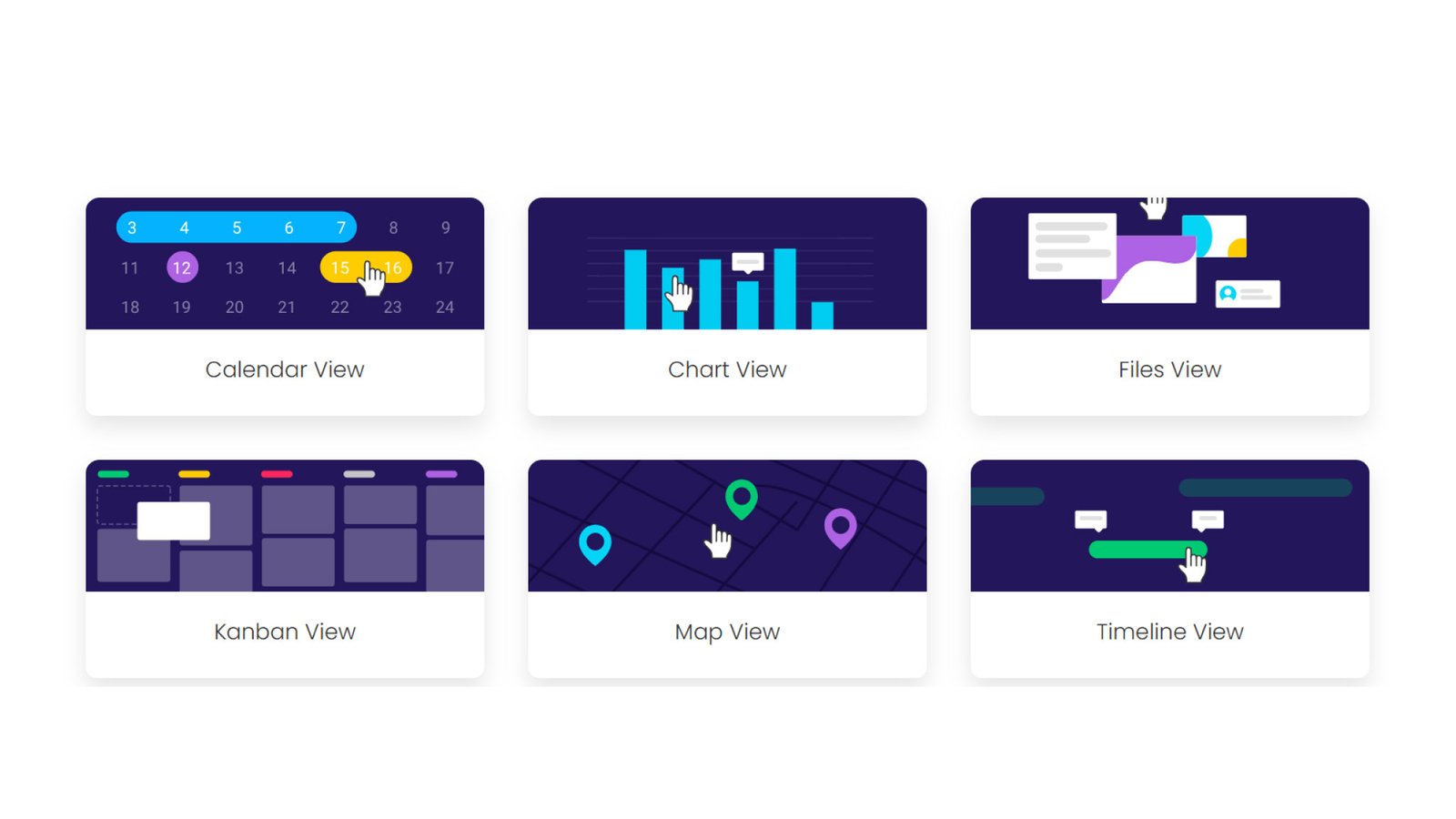
2. Multiple Work Views
You can look at work through:
- Kanban boards
- Gantt charts (for timelines)
- Calendar views
- Tables and dashboards
These views help teams and leaders see what matters most at a glance.
 3. Automations and Workflows
Automations help reduce manual work, reminders, status updates, notifications, approvals, without writing code.
4. Centralized Dashboards
Dashboards bring together data from multiple boards so leaders and PMOs can monitor progress, priorities, risks, and workload all in one place.
5. Collaboration Built In
Comments, file sharing, mentions, and task discussions happen right in context; there is no need for separate chat tools.
6. Integrations With Your Stack
Integrate with 200+ apps (Slack, Google Workspace, Teams, CRM tools, storage, etc.) so data flows without manual re-entry.
How monday.com helps different teams
- For Task Management
Set up boards for individual or team tasks with owners, due dates, progress tracking, and visual indicators that help teams stay on track.
2. For Project Management
Plan, execute, and monitor projects from start to finish; add timelines, task dependencies, milestones, workload analytics, and communication all in one place.
3. For PMO & Portfolio Management
A Project Management Office (PMO) needs oversight across all initiatives. monday.com enables:
- Portfolio views with timelines and resource planning
- Standardized project templates and governance
- Goals and OKR alignment
- Risk & issue tracking
- Real-time reporting for executives and stakeholders
These features help connect strategy to execution without fragmented tools.
Why companies choose monday.com Work OS
- Flexibility: Build workflows that match how you work — not the other way around.
- Scalability: From small teams to enterprise PMOs — monday.com adapts as needs grow.
- Transparency: Dashboards and real-time insights cut down status-meeting overload.
- Automation: Save time and reduce errors on repetitive tasks.
Collaboration: Communication tied to work items keeps context and history in one place.
Who should use monday.com?
monday.com works well for:
- Project managers and PMOs
- Marketing, IT, and product teams
- Operations and HR teams
- Sales and CRM processes
- Cross-functional teams that need to coordinate work and outcomes
It replaces disconnected spreadsheets, emails, and task lists with a single platform where work lives, evolves, and gets measured.
monday.com pricing: A quick overview
While pricing varies based on plan and seat count, monday.com typically offers multiple tiers (Free, Basic, Standard, Pro, Enterprise) with increasing capabilities, dashboard limits, automation actions, and integrations. Click here to get monday.com pricing for your organization.
Getting started with monday.com — Best practices
- Start with a clear workflow: Define how work should flow before automating.
- Use templates: Save time with board templates built for project types.
- Leverage views & dashboards: Tailor dashboards for stakeholders and teams.
- Automate repetitive steps: Build automations for consistency and speed.
- Iterate and scale: Improve workflows as teams adopt the platform.
How enreap helps you succeed with monday.com
As a preferred Platinum Partner of monday.com, enreap helps organizations move beyond tool adoption to real business outcomes. We specialize in monday.com CRM and Work OS implementations for teams that need scalability, governance, and measurable ROI, not just task boards.
What enreap delivers with monday.com
monday.com CRM specialization
- CRM design aligned to your sales, marketing, and customer success workflows
- Lead-to-deal pipelines, custom stages, automation, and reporting
- CRM integrations with marketing, finance, and support systems
- Adoption enablement for sales and revenue teams
Enterprise Work OS & PMO consulting
- Designing end-to-end workflows across teams and departments
- PMO and portfolio management setups with dashboards and governance
- Standardized templates for repeatable execution
- Executive-level reporting and visibility
Implementation, integration & optimization
- Clean, scalable monday.com architecture (not over-engineered setups)
- Automation to eliminate manual handoffs and status chasing
- Integrations with your existing tool stack
- Ongoing optimization as your teams and processes evolve
Why work with enreap?
Unlike generic implementers, enreap approaches monday.com as a business operating layer, not just a productivity tool. Our focus is on:
- Faster time-to-value
- Higher user adoption
- Reduced tool sprawl
- Clear operational and revenue impact
Is monday.com right for you?
If your team struggles with visibility, alignment, or scaling execution across people and processes, monday.com Work OS provides a flexible, centralized platform that adapts to how you work. It combines task management, workflow automation, project delivery, and collaboration into a unified workspace, making it a powerful choice for operational excellence and PMO success in modern organizations.
Ready to get more from monday.com?
If you’re evaluating monday.com Work OS, planning a CRM rollout, or looking to scale PMO and cross-team execution, enreap can help you design and implement a solution that actually works in the real world.
Talk to enreap’s monday.com experts
Request a monday.com CRM or Work OS consultation