






As organizations grow, work becomes more complex. Tasks are spread across emails, spreadsheets, chat tools, and multiple disconnected systems. This leads to missed deadlines, lack of visibility, and slow execution.
To solve this, many enterprises evaluate modern work management platforms like Monday.com and Asana. Both are popular tools for project management, task tracking, workflow automation, and team collaboration. But when you look closely, they serve very different business needs.
This blog breaks down Monday.com vs Asana in simple, practical terms, focusing on pricing, flexibility, automation, scalability, and real business impact, so growing teams can make the right choice.
What is Monday.com?
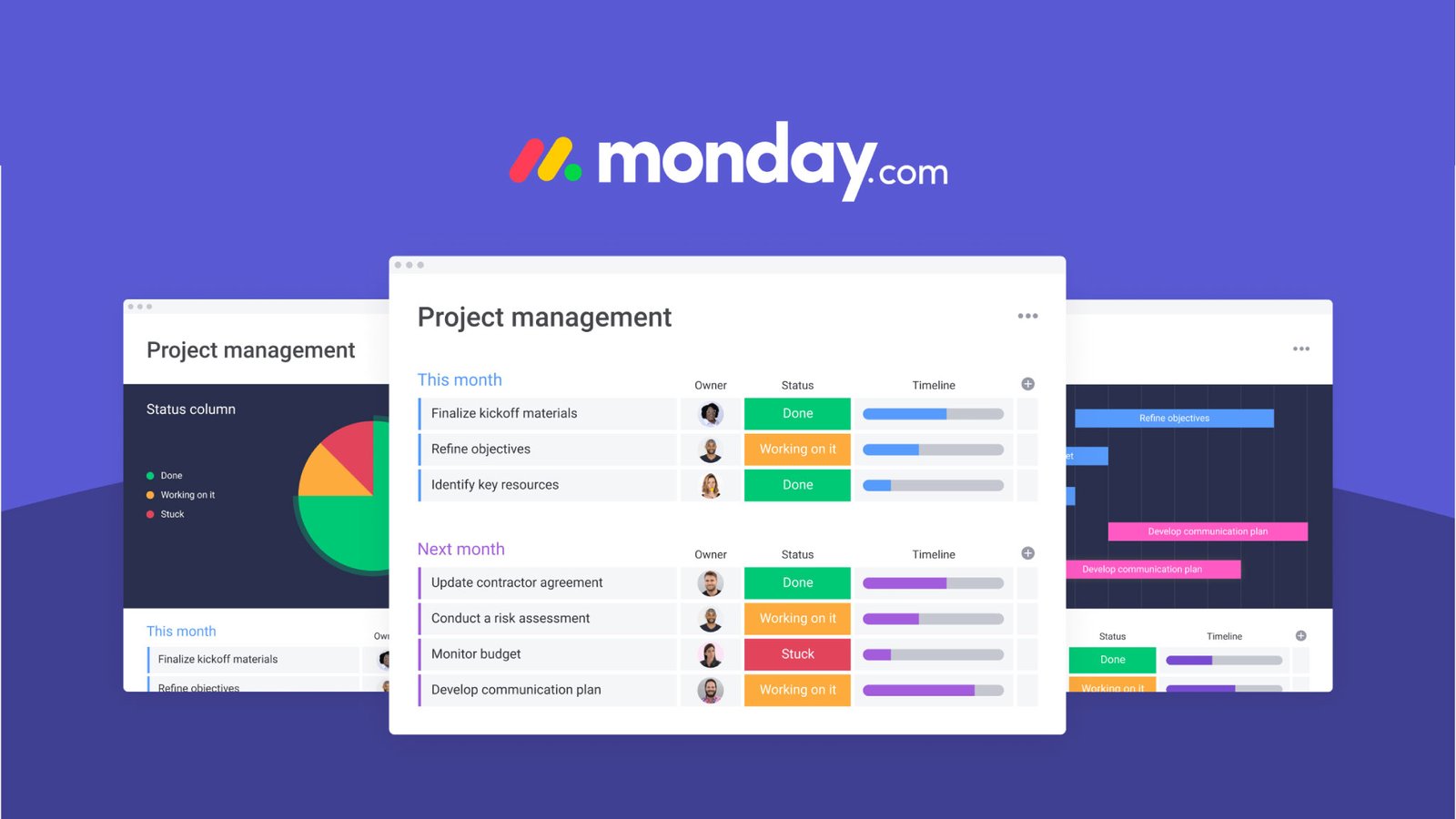
Monday.com is a cloud-based Work Operating System (Work OS) that brings tasks, projects, workflows, and collaboration into one centralized platform. It is designed to be flexible, visual, and scalable, allowing teams to build workflows that match how their business actually operates.

Instead of forcing teams into rigid structures, Monday.com adapts to different use cases — from task management and project delivery to CRM, IT operations, and PMO portfolio management.

In simple words, Monday.com becomes the “single source of truth” where all work lives and moves forward.
What is Asana?
 Asana is a structured project management software that focuses on task tracking, timelines, and project execution. It works well for teams that follow clearly defined processes and need a clean system to plan and manage deliverables.

It is primarily designed for project-centric teams that want clarity on tasks, ownership, and deadlines rather than fully customizable workflows across departments.

Work OS vs Project Management Tool: The Core Difference
A key distinction in the Monday.com vs Asana comparison is this:
- Monday.com = Flexible Work OS platform for end-to-end work management
- Asana = Structured project management tool for task and timeline execution
While Asana helps teams manage projects efficiently, Monday.com goes further by enabling organizations to design workflows, automate processes, integrate systems, and scale operations across multiple departments.
This makes Monday.com more suitable for organizations looking beyond just project tracking toward full workflow management and operational visibility.
Core Capability Comparison: Monday.com vs Asana
1. Workflow Flexibility & Customization
Growing teams rarely follow the same process forever. Workflows evolve, and tools must adapt.
Monday.com
- Fully customizable boards, columns, dashboards, and automations
- Supports cross-functional workflows across IT, marketing, HR, sales, and operations
- Works as a unified workflow management platform across departments
Asana
- Provides structured templates and predefined task flows
- Limited flexibility when processes become complex or cross-functional
For organizations undergoing transformation, Monday.com offers far greater adaptability and scalability.
2. Visual Work Management & Dashboards
Visibility is critical for leadership, PMOs, and operations teams.
Monday.com
- Real-time dashboards across multiple teams and projects
- Visual views: Kanban, Gantt, timeline, workload, and portfolio dashboards
- Executive-level reporting and resource visibility
Asana
- Strong project timelines and portfolio tracking
- Good reporting for project progress, but less flexible in cross-department dashboards
Monday.com stands out as a stronger visual work management platform for organizations needing enterprise-level visibility.
3. Automation & Process Efficiency
Automation is essential for scaling operations without increasing manual effort.
Monday.com Automation
- No-code automation for status updates, approvals, reminders, and handoffs
- Works across boards and workflows
- Reduces manual coordination and follow-ups
Asana Automation
- Rule-based automation for task assignment and updates
- Effective for structured project workflows but less flexible across complex processes
If your goal is to build scalable, automated workflows across departments, Monday.com provides stronger capabilities.
4. Cross-Functional Collaboration
Modern enterprises require collaboration across multiple teams, not just within projects.
Cross-Functional Collaboration
| Capability | Monday.com | Asana |
| Cross-department dashboards | ✔️ Strong | ✔️ Moderate |
| Guest collaboration | Full capabilities | Limited guest control |
| Portfolio & goal tracking | Requires customization | Native feature |
For organizations aiming to centralize collaboration and reduce tool sprawl, Monday.com offers a more holistic solution.
Monday.com vs Asana Pricing Comparison
Pricing becomes important as teams grow and need advanced features.
Monday.com vs Asana Pricing Comparison
| Plan Tier | Monday.com | Asana |
| Free Plan | Up to 2 users (limited features) | Up to 10–15 users (limited features) |
| Entry Plan | ~$9–$12/user/month | ~$10.99/user/month |
| Mid Tier | ~$12–$14/user/month | ~$24.99/user/month |
| Advanced Tier | ~$19–$24/user/month | Enterprise-level pricing |
| Enterprise | Custom pricing | Custom pricing |
Monday.com includes automation, dashboards, integrations, and advanced workflow customization even at mid-tier plans.
Asana’s advanced features like portfolio management, workflow builder, and goals are available mostly in higher-priced tiers.
Pricing Insight for Growing Teams
While Asana’s free plan works for small teams, scaling organizations often find that Monday.com delivers better value due to built-in automation, customization, and cross-team visibility within mid-tier plans.
Benefits Comparison: Why Growing Organizations Prefer Monday.com
Key Benefits of Monday.com Work OS
- Flexible workflows that evolve with business needs
- Centralized platform replacing multiple disconnected tools
- Real-time dashboards for leadership and PMO visibility
- Automation that reduces manual work and delays
- Scalable architecture supporting enterprise growth
Where Asana Still Fits Well
- Structured project planning and task dependencies
- Clear ownership and timeline management
- Simple setup for project-driven teams
However, when organizations move from project tracking to enterprise work management, they often outgrow rigid project tools and need a more adaptable Work OS.
Why to Choose Monday.com Over Asana
Monday.com is the stronger choice if your organization:
- Needs customizable workflows across departments
- Requires advanced dashboards and real-time reporting
- Wants to automate processes and reduce manual coordination
- Is scaling rapidly and needs a future-ready work management system
Asana may work well for smaller teams focused only on project execution, but for cross-functional growth and operational maturity, Monday.com offers a more scalable foundation.
Final Verdict: Why Monday.com Leads for Growing Teams
Both Monday.com and Asana are capable platforms, but they serve different maturity levels of work management.
Asana is ideal for structured project planning.
Monday.com goes beyond projects to become a complete Work OS platform that connects people, processes, and tools in one place.
For growing organizations that need flexibility, automation, cross-team collaboration, and executive visibility, Monday.com emerges as the more future-ready and scalable solution.
How enreap Helps You Maximize Monday.com
As a Platinum Partner for Monday.com, enreap helps organizations implement the platform not just as a task tool, but as a full operational Work OS that drives measurable outcomes.
We help with:
- End-to-end workflow design and implementation
- PMO and portfolio management dashboards
- Automation to reduce manual coordination
- Integration with existing enterprise systems
- Scalable architecture aligned to your business processes
Our approach ensures faster adoption, higher ROI, and a unified work management ecosystem built for long-term growth.
Ready to Choose the Right Work Management Platform?
If your organization is evaluating Monday.com vs Asana and wants a scalable, flexible, and automation-driven solution, Monday.com Work OS provides a strong foundation for future growth.
Connect with enreap’s experts to assess your workflows, compare capabilities, and implement a Work OS strategy tailored to your teams and business goals.