
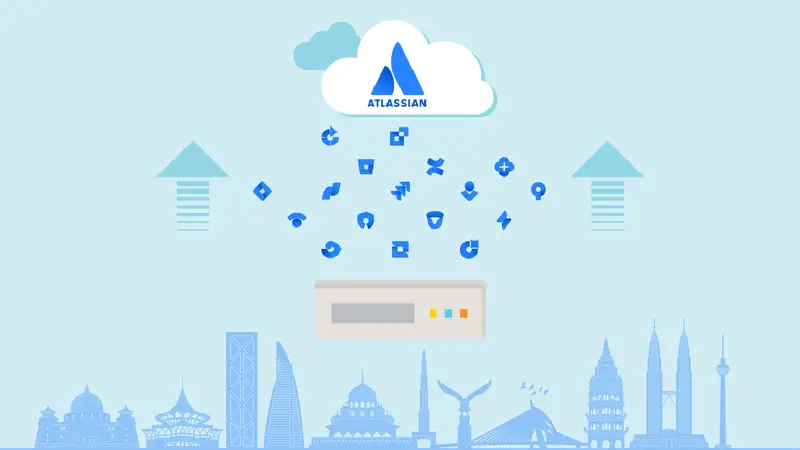
Atlassian Data Center (DC) customers have a defined window to prepare for the move to Cloud. With impacted Data Center products reaching end of life on March 28, 2029, enterprises need more than a migration date—they need a clear understanding of what their current Atlassian environment contains, what needs to change, and what it will take to move successfully.
For smaller environments, migration may be relatively straightforward. Enterprise environments are different.
Years of configurations, Marketplace applications, custom workflows, integrations, users, and business-critical processes can make an Atlassian Data Center to Cloud migration significantly more complex.
The first step, therefore, isn’t migration.
It’s an assessment.
For enterprises across Southeast Asia, that assessment may also need to account for distributed teams, multi-country operations, regional governance requirements, and different levels of Cloud adoption across business units.
This guide explains the key areas enterprises should evaluate before beginning an Atlassian Cloud migration, and how a structured readiness assessment can help turn migration from a deadline-driven project into a planned transformation.
Explore how enreap helps enterprises with Atlassian services
What Should Enterprises Assess Before Migrating Atlassian Data Center to Cloud?
Enterprises should assess users and data, Marketplace apps, integrations, workflows and configurations, identity and security, data governance, and business-critical processes before defining their migration strategy.
The assessment should determine what to migrate, rationalize, replace, archive, or retire.
This is particularly important for large Atlassian environments where years of accumulated configurations and dependencies can make a simple lift-and-shift approach risky.
What Is an Atlassian Cloud Migration Readiness Assessment?
An Atlassian Cloud migration readiness assessment evaluates an organization’s existing Data Center environment to determine:
- What needs to be migrated
- What can be retired or archived
- Which Marketplace apps have Cloud equivalents
- Which integrations need remediation
- Which workflows and configurations need redesign
- What security and identity changes are required
- What migration approach is most appropriate
- Where the major risks and dependencies are
The goal isn’t simply to determine whether an organization can migrate.
It is to determine what needs to happen before migration, how complex the migration is likely to be, and what the target Cloud environment should look like.
Atlassian provides migration tools and resources, including Cloud Migration Assistants for supported Jira and Confluence environments, to help organizations assess and prepare their environments.
For complex enterprise environments, enreap’s Atlassian Cloud readiness services can provide a structured assessment before migration planning begins.
Already evaluating the 2029 deadline? Read enreap’s first guide: Atlassian Data Center End of Life 2029: Why It Matters and How to Prepare
7 Areas to Assess Before Atlassian Cloud Migration
1. Users, Groups and Access
Start with the people who actually use the platform.
Enterprise Data Center environments can contain:
- Active and inactive users
- External users
- Multiple user directories
- Groups with legacy permissions
- Former employees
- Service accounts
Before migration, identify which users and groups genuinely need to move to Cloud.
Also assess how identity is currently managed, including:
- SSO
- User provisioning
- Authentication
- Group management
- Access policies
For organizations operating across multiple countries or business units, identity structures can become particularly complex.
A migration readiness assessment should therefore establish who needs access, what level of access they need, and how that access will be managed in Cloud.
Explore how enreap supports Atlassian Cloud migration planning
2. Data and Configuration
The next question is:
What data actually needs to move?
A Data Center environment may contain years of:
- Jira projects
- Issues
- Confluence spaces
- Attachments
- Custom fields
- Workflows
- Dashboards
- Reports
- Automation rules
- Historical content
Not all of this necessarily needs to be migrated.
Before defining the migration scope, classify information into four categories:
| Decision | What it means |
| Migrate | Business-critical and actively used |
| Rationalize | Duplicate or unnecessarily complex |
| Archive | Required for historical or reference purposes |
| Retire | No longer required |
This prevents organizations from simply transferring technical debt into Cloud.
The objective is to create a cleaner target environment that reflects current business requirements, rather than reproducing years of accumulated complexity.
- Marketplace Apps
Marketplace applications are one of the most important migration dependencies to assess early.
An application that works in Data Center may:
- Have a Cloud equivalent
- Have different functionality in Cloud
- Require a separate migration process
- Need manual reconfiguration
- Have different licensing requirements
- Have no suitable Cloud replacement
Every application should therefore be assessed individually.
A useful framework is:
Keep → Replace → Retire → Reconfigure
| Assessment question | Decision |
| Is the app still business-critical? | Keep / Retire |
| Is a Cloud version available? | Keep / Replace |
| Is the functionality equivalent? | Validate |
| Can its data be migrated? | Validate |
| Does it meet security requirements? | Validate |
| Can native Cloud functionality replace it? | Consider replacement |
For enterprises with a large Marketplace estate, this can become one of the most important—and time-consuming—parts of migration planning.
Explore enreap’s Atlassian app assessment and migration services
4. Integrations and APIs
Your Atlassian environment rarely operates in isolation.
It may connect to:
- Identity providers
- ITSM platforms
- CI/CD tools
- Monitoring systems
- HR systems
- Security platforms
- Internal applications
- Data warehouses
- Custom applications
Every integration should be documented before migration.
For each integration, determine:
What connects? → How does it authenticate? → What data moves? → What happens in the Cloud?
Custom integrations deserve particular attention because authentication methods, APIs, and architecture can differ between Data Center and Cloud.
A migration that successfully moves Jira or Confluence data but breaks a critical downstream integration is not a successful migration.
Talk to enreap about assessing your Atlassian integrations
5. Workflows, Automation and Customizations
Enterprise Atlassian environments often evolve organically.
A workflow created several years ago may now contain:
- Unused statuses
- Legacy transitions
- Complex approval logic
- Custom scripts
- Redundant automation
- Business rules that no longer apply
Migration is therefore an opportunity to ask:
Does this configuration still reflect how the business operates today?
Rather than automatically replicating everything, assess what can be simplified.
This can reduce administrative overhead and create a more manageable Cloud environment.
The same principle applies to custom fields, automation rules, dashboards and reporting structures.
Migration should not become a mechanism for carrying yesterday’s complexity into tomorrow’s platform.
6. Security, Compliance and Data Governance
Security shouldn’t be a final-stage migration approval.
It should be part of the initial assessment.
Enterprises should evaluate:
- Identity and access controls
- SSO
- User provisioning
- Audit requirements
- Data governance
- Security policies
- Marketplace app security
- Data residency requirements
- Business continuity
For Southeast Asian enterprises, requirements can differ by country, industry and organization.
A multinational operating across Singapore, Malaysia, Indonesia, Thailand, Vietnam or the Philippines may need to consider regional governance requirements alongside global corporate policies.
Data residency and compliance requirements should be assessed against the organization’s specific regulatory and business requirements rather than treated as a one-size-fits-all exercise.
Explore enreap’s Atlassian advisory and consulting services
7. Business-Critical Processes
Finally, identify what absolutely cannot break during migration.
Examples include:
- IT service management
- Incident management
- Change management
- Software development
- Project delivery
- Knowledge management
- Compliance workflows
- Executive reporting
For each process, identify:
Owner → Users → Dependencies → Integrations → Business impact
This information should directly influence your migration waves and UAT strategy.
A technically successful migration isn’t enough if users cannot perform the processes they rely on every day.
Should You Migrate Everything From Data Center to Cloud?
No.
A Cloud migration should not automatically replicate the existing Data Center environment.
Instead, each component should be evaluated based on current business requirements.
A simple decision framework is:
Migrate → Rationalize → Replace → Archive → Retire
This approach allows enterprises to reduce unnecessary complexity before moving to Cloud.
It also creates an opportunity to identify where native Cloud capabilities can replace third-party tools, outdated workflows or custom configurations.
This is where an experienced migration partner can add value beyond technical execution.
Explore how enreap helps enterprises rationalize and migrate their Atlassian environments
How to Turn an Assessment Into a Migration Strategy
Once the assessment is complete, the next step is to convert the findings into a migration roadmap.
A practical framework is:
Assess → Rationalize → Plan → Test → Migrate → Optimize
- Assess
Understand the current environment, including users, data, apps, integrations and configurations. - Rationalize
Determine what should migrate, change, be replaced, archived or retired. - Plan
Define the target architecture, migration waves, resources, dependencies and timeline. - Test
Validate data, applications, integrations and business processes. - Migrate
Execute the agreed migration plan and manage the cutover. - Optimize
Improve the Cloud environment after go-live and identify opportunities for automation, governance and operational improvement.
This is different from a basic lift-and-shift approach because the target environment is designed around current business requirements, rather than historical configurations.
Explore enreap’s Atlassian Cloud migration services
Big Bang or Phased Migration?
The assessment should also help determine how the migration should happen.
Big Bang Migration
Everything moves within a single migration window.
Potentially suitable for:
- Smaller environments
- Lower integration complexity
- Limited business dependencies
Phased Migration
Users, projects or business units migrate in planned waves.
Potentially suitable for:
- Large enterprises
- Multiple business units
- Complex integrations
- Large Marketplace estates
- Multi-country operations
Pilot → Scale
A representative group or business unit migrates first. The organization uses the lessons from that migration to refine the approach before scaling.
There is no universally correct migration strategy.
The right approach depends on the organization’s environment size, complexity, integrations, business dependencies and risk tolerance.
Talk to enreap about your Atlassian Cloud migration strategy
What Should an Atlassian Migration Assessment Deliver?
A useful readiness assessment shouldn’t end with a generic statement that says:
“Your organization is ready for Cloud.”
It should produce actionable outputs.
Recommended deliverables
- Current-state assessment
Users, data, apps, integrations and configurations. - Application rationalization matrix
Which applications should migrate, be replaced or retired. - Integration dependency map
Critical systems and authentication dependencies. - Risk assessment
Technical, operational, security and business risks. - Target-state recommendations
How the Cloud environment should be structured. - Migration roadmap
Phases, dependencies, priorities and sequencing. - Testing and UAT strategy
How migration success will be validated. - Resource and timeline considerations
What skills, stakeholders and effort are required.
This turns assessment into a decision-making tool, rather than another technical document.
How enreap Helps Enterprises Prepare for Atlassian Cloud
For enreap, Atlassian Cloud migration isn’t simply about moving data from one environment to another.
It is about helping enterprises understand their existing environment, identify dependencies, rationalize what they have, and build a Cloud environment aligned with their current business requirements.
enreap’s Atlassian services can support organizations across:
- Cloud readiness assessment
- Environment discovery
- Marketplace app assessment
- Data and configuration rationalization
- Integration assessment
- Migration strategy
- Target architecture
- Testing and UAT
- Migration execution
- Post-migration optimization
- Ongoing Atlassian support
For enterprises across Southeast Asia, this approach can also account for distributed teams, multi-country operations, regional governance and varying levels of Cloud adoption across business units.
Explore how enreap helps you with Atlassian services →
Atlassian Cloud Migration Readiness Checklist
Before starting your migration, ask:
- Environment
Do we have a complete inventory of our Atlassian environment?
- Users
Have we identified active, inactive and external users?
- Applications
Have we assessed every Marketplace app?
- Data
Have we identified what needs to migrate, archive or retire?
- Integrations
Have all critical integrations been mapped?
- Configuration
Have legacy workflows, custom fields and automation been reviewed?
- Security
Have identity, security and compliance requirements been assessed?
- Business continuity
Have critical business processes been identified?
- Testing
Do we have a UAT and test migration strategy?
- Migration roadmap
Do we know what should migrate first and why?
If several answers are “No,” your organization may not yet be ready to define a migration timeline.
The next step should be assessment—not migration.
[Get started with an enreap Atlassian Cloud readiness assessment →]
Conclusion
Atlassian Data Center’s 2029 end-of-life deadline creates the need to move. But understanding your current environment determines how well you move.
Enterprise Cloud migration should begin with questions such as:
- What do we have?
- What do we actually need?
- What can be simplified?
- What dependencies could create risk?
- What should our Cloud environment look like?
A structured readiness assessment provides the foundation for answering those questions and building a migration strategy around the organization’s actual requirements.
For enterprises across Southeast Asia, enreap can help move from assessment to strategy to execution and optimization, providing Atlassian expertise throughout the migration journey.
Explore how enreap helps you with Atlassian services →
Frequently Asked Questions
1. What is an Atlassian Cloud migration readiness assessment?
It is a structured evaluation of an organization’s Data Center environment to identify data, users, applications, integrations, configurations, security requirements and business dependencies before migration.
2. What should enterprises assess before migrating Atlassian Data Center to Cloud?
Enterprises should assess users and data, Marketplace apps, integrations, workflows and configurations, identity and security, data governance, and business-critical processes.
3. Do all Marketplace apps need to be migrated?
No. Each app should be assessed for business need, Cloud availability, functionality, migration path, security and potential alternatives.
4. Should enterprises migrate everything from Data Center to Cloud?
No. Each element should be evaluated to determine whether it should be migrated, rationalized, replaced, archived or retired.
5. Is a phased migration better than a Big Bang migration?
Neither approach is universally better. The appropriate strategy depends on the size and complexity of the environment, integrations, business dependencies, user base and risk tolerance.
6. When should enterprises start their migration assessment?
As early as possible. Atlassian’s current timeline gives existing Data Center customers until March 30, 2028 for new subscriptions, Marketplace apps and subscription expansions, while impacted Data Center products reach EOL on March 28, 2029.
7. How can enreap help with Atlassian Cloud migration?
enreap can support enterprises across Cloud readiness assessment, app and integration assessment, migration strategy, architecture, testing, migration execution, Cloud optimization and ongoing Atlassian services.
Sources